Running Data Collection Jobs
On the Collectors configuration page, once you've saved a configuration, Run and Schedule buttons appear at the bottom left of the configuration. These are the entry points for running data collection jobs.
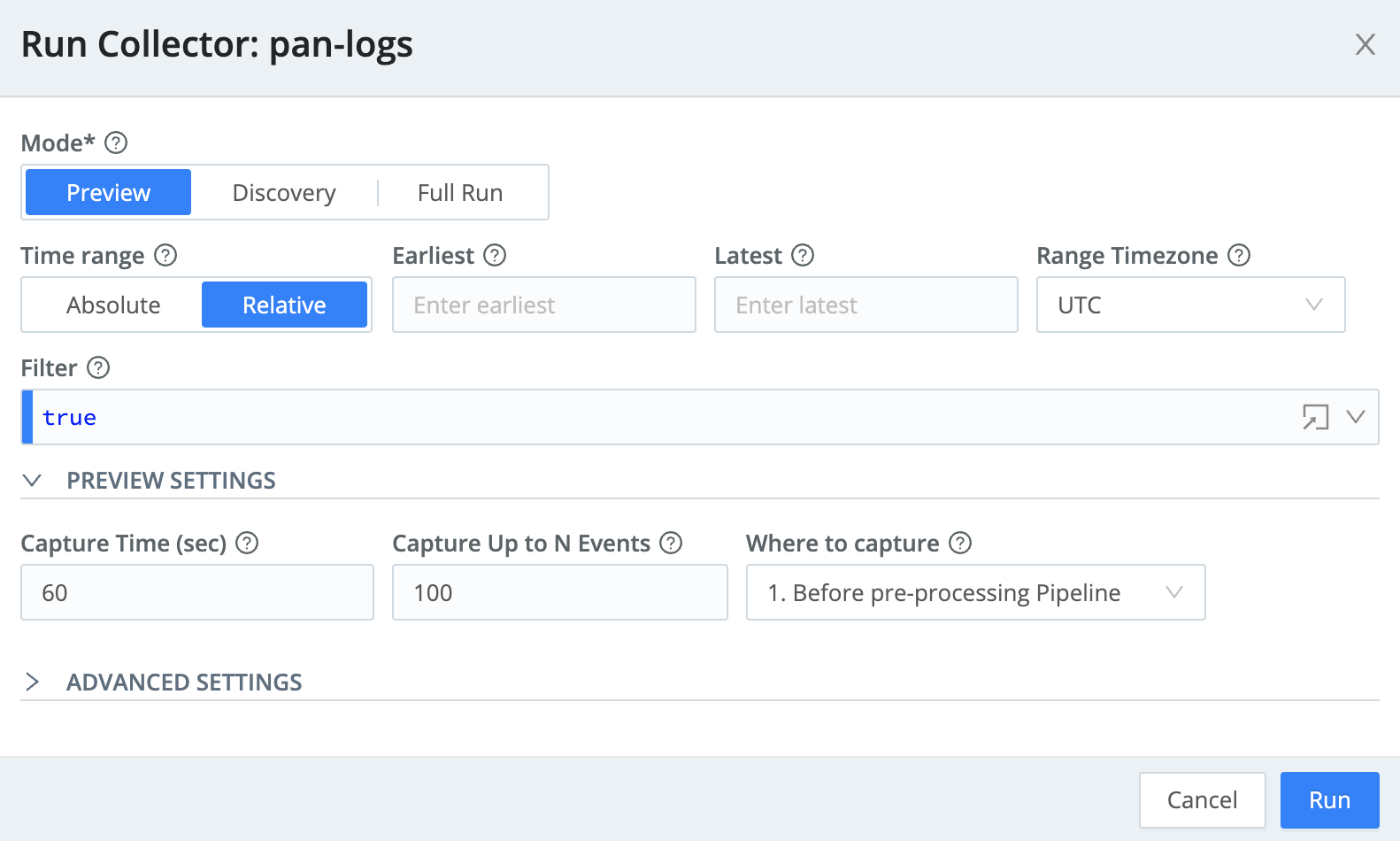
When you click the Run button, this modal comes up:
- The
Modeselection determines which type of job will be run:Preview- This type of job allows you to see a sample of the data that a full job would retrieve.Discovery- This type of job allows you to see the scope of the data that a full job would retrieve (how many files, etc.)Full Run- This type of job actually retrieves the data, feeding it either into Data Routes, or into a specific one-off Pipeline/output combination.
- The
Time Rangesection provides two buttons and two fields:- The
Absolute/Relativebuttons determine whether to set either absolute dates/times, or relative time offsets, in the adjacent fields. - The
EarliestandLatestfields allow you to define the time window of the data being collected.
- The
- The
Filterfield is a JavaScript expression to filter data, just as the Data Routes and Pipelines do. - The
Preview Settingssection determines the behavior of the Preview job, just as with a normal capture. - The
Log Levelfield (in the Advanced Settings section) determines the level (verbosity) at which the collection job should log. - The
Lower task bundle sizeandUpper task bundle sizefields determine at what levels to combine (respectively) small and large files into tasks that Stream can efficiently process.
The Schedule modal is similar, sharing most of the same fields. But enough talking, let's run some jobs...