
Knowledge Is Power
Course Map
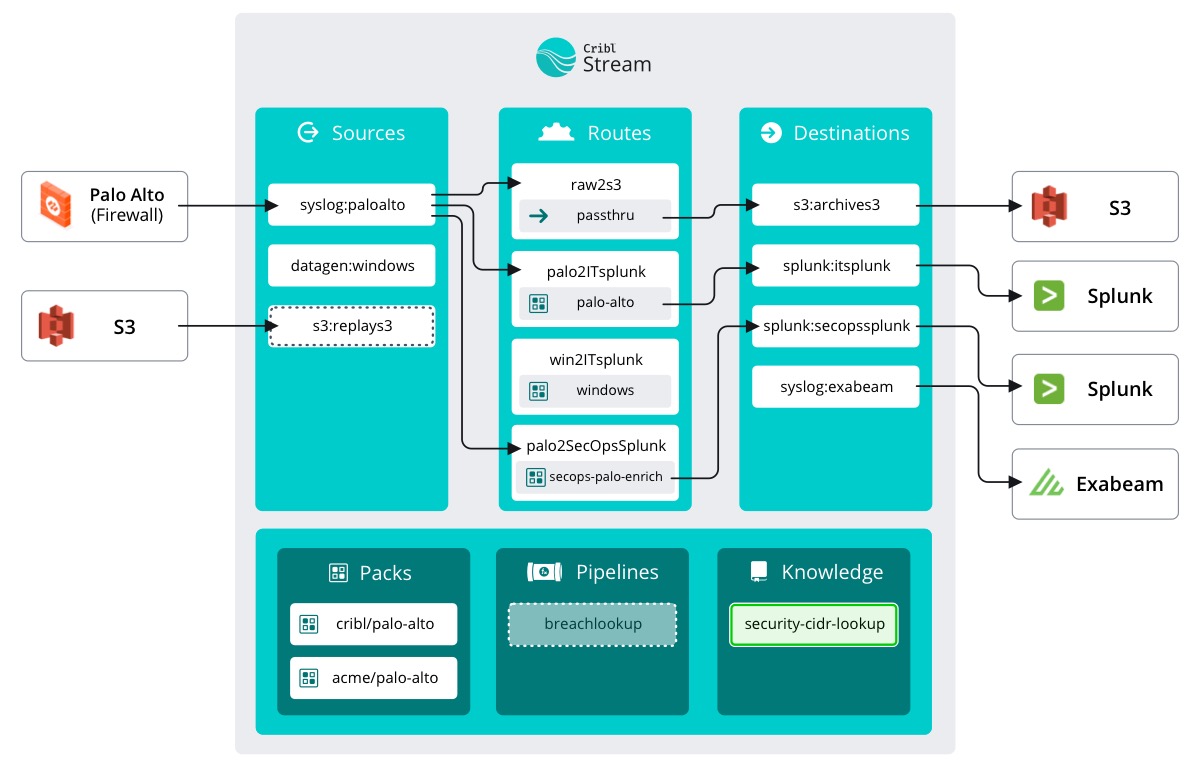
Let’s start by uploading the CSV Ed sent over into Stream. We can use the Lookup Function later to extract the information we need.
important
Make sure Manage is active in Stream's top nav – select the Processing submenu and click Knowledge
The Knowledge library in Stream allows us to store, well, knowledge or information to be called at a later date in our Functions. Today we will be using the Lookups Library to upload a .csvfile. In Stream, CSV files are one of the many types of Lookups. Others include GeoIP and Redis.
In the event that you don’t have a CSV handy, or you are tinkering around, Stream has a built in text editor that allows you to create and edit a CSV.
important
Create a CSV lookup
Click
New Lookup FileClick
Create with Text EditorFill out the fields as follows:
- Filename:
security-cidr-lookup - Description:
CIDR list for SecOps enrichment - Tags:
security, CIDR
- Filename:
Paste in the values that Ed wanted us to use:
cidr,location
10.0.0.0/8,Corporate Nets
10.0.1.0/24,Boston DMZ
10.0.2.0/24,New York Client Net
10.0.3.0/24,San Francisco Client Net
10.0.4.0/24,Dallas DMZ
192.168.0.0/16,Home Worker Nets
172.16.0.0/12,Application Nets
172.16.1.0/24,SAP Net
172.16.2.0/24,Manufacturing Net
172.16.3.0/12,HR App Net
127.0.0.0/8,Loopback
Click
Save
Now that we stored the Lookup values from Ed, we can configure our Pipeline.