Using REST parameters
So far, most of our REST API requests have returned the entire data set. In a few cases we've specified a single record based on the ID, but otherwise it was all-or-nothing. (Ok, ok, there was the ONE time in the last moduel that we searched by last name. Nothing gets past you, does it?)
The truth is that most APIs come with powerful ways to filter, sort, and search; as well as return select fields ratther than the entire record. And most of that is done using parameters.
A Quick Review
At the commandline or in a browser, parameters appear after the main URL, in a format like this:
https://primary_url.com/endpoint/?parameter1=value1¶meter2=value2¶meterX=valueX
To put it into concrete terms, if we wanted to display:
- 5 records
- showing just the first name, last name, and age
- sorted by last name
- in descending (Z-A) order, we would use the following URL:
https://dummyjson.com/users?limit=5&select=firstName,lastName,age&sortBy=lastName&order=desc
And the result should look like this:
{
  "users": [
    {
      "id": 191,
      "firstName": "Layla",
      "lastName": "Young",
      "age": 42
    },
    {
      "id": 30,
      "firstName": "Addison",
      "lastName": "Wright",
      "age": 33
    },
    {
      "id": 44,
      "firstName": "Scarlett",
      "lastName": "Wright",
      "age": 27
    },
    {
      "id": 127,
      "firstName": "Mason",
      "lastName": "Wright",
      "age": 41
    },
    {
      "id": 167,
      "firstName": "Evan",
      "lastName": "Wright",
      "age": 32
    }
  ],
  "total": 208,
  "skip": 0,
  "limit": 5
}
NOTE: While we love us some command line, in this case the result is easier to understand in the browser. But it's important to know that you don't HAVE to display this information on your own. The rest of the lesson will work just fine if you skip this part.
Using Parameters in Cribl's REST Collector
For this example, we're not going to do anything overly complex. Just a simple REST collection URL, and a few parameters thrown in for good measure:
To proceed, you know the drill:
-
Navigate back to the REST Collector Source page.
-
From the top nav of your Cribl Stream Sandbox, select Manage > Data > Sources, then select Collectors > REST from the Data Sources page's tiles.
-
Click Add Collector to open the REST > Add Collector modal, which provides the following options and fields.
-
In the Collector ID field, enter
rest_parameters. -
In the Collect section, configure the Collect URL .
'https://dummyjson.com/users'noteNOTE: Those are regular single quotes, not backtiks. And yes, you need to put them into the collector field.
-
Just below the "Collect parameters" section, you should see an "Add Paramter" button. Click it.
-
Add the following parameters:
- limit=5
- select=firstName,lastName,age
- sortBy=lastName
- order=desc
-
At the bottom left, click ► Save & Run. In the Run configuration modal, click Run again.
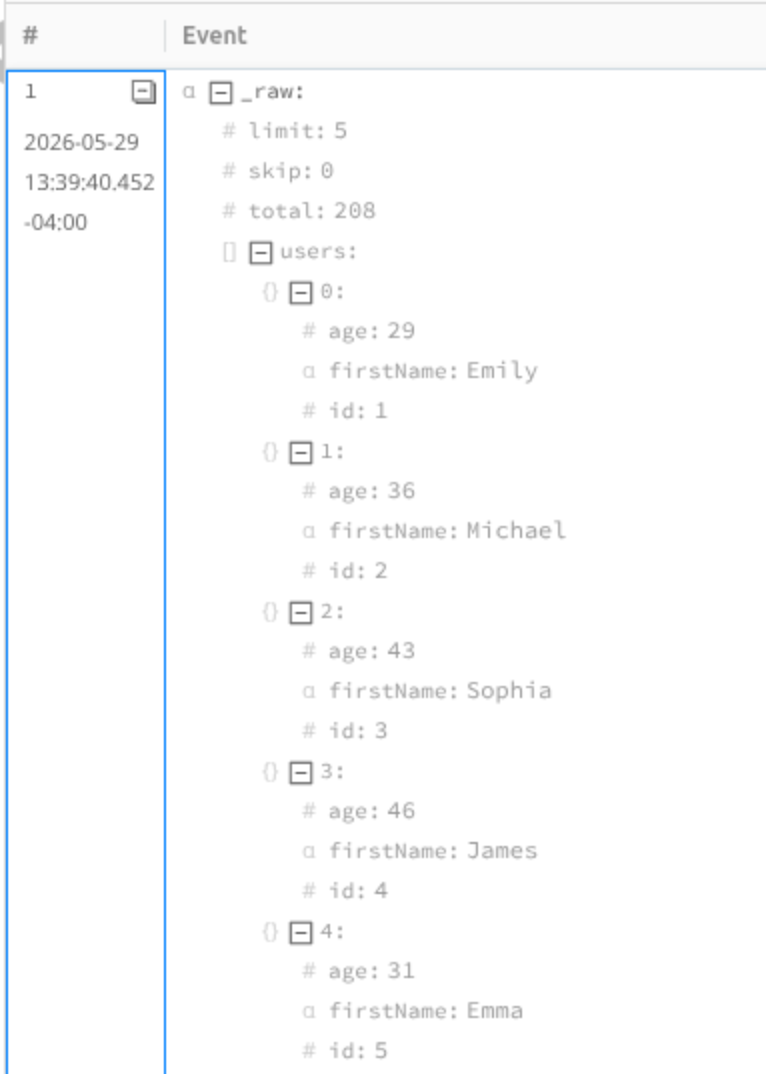
What you'll see returned is a single record. You have to expand all the elements to see everything:
Conclusion
Using parameters in our REST collection was pretty easy, actually!
In the next module, we'll look at pagination - how we break up large data sets into smaller, more manageable chunks.