
Another Day, Another Vendor
Course Map
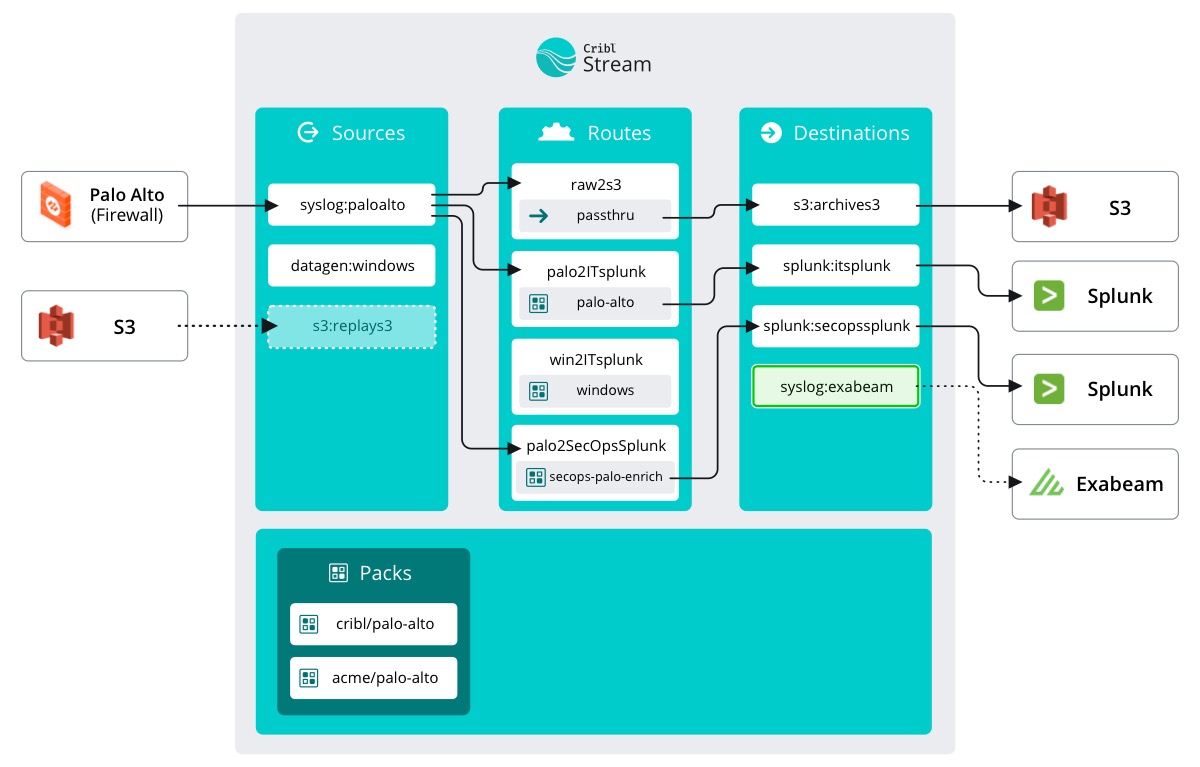
As we saw from Steve’s email, the new SIEM is Exabeam. Stream doesn’t have a specific Destination labeled Exabeam, because Exabeam is set up to simply accept syslog traffic. So we can create a syslog Destination and point it at the new deployment.
important
Add a destination
- Make sure
Manageis active in Stream's top nav – select theDatasubmenu and clickDestinations - Click
Syslog - Click
New Destination - Fill out the Destination details as follows:
- Output ID -
exabeam - Address -
exabeam - Port -
41489
- Click
Save
That was quick. And since we configured the Destination first, we can do something cool when we add the Source -- skip the Data Route. You read that right.
Let’s go set up the Source.